
The shared bookshelves feature allows teachers and administrators to share bookshelves with one another and with students. It also allows teachers and administrators to generate direct links to a bookshelf. Additionally, students now can share a bookshelf with their teachers.
If you have a specific area that you would like to explore, use the links below to jump to that section:
Access Shared Bookshelves
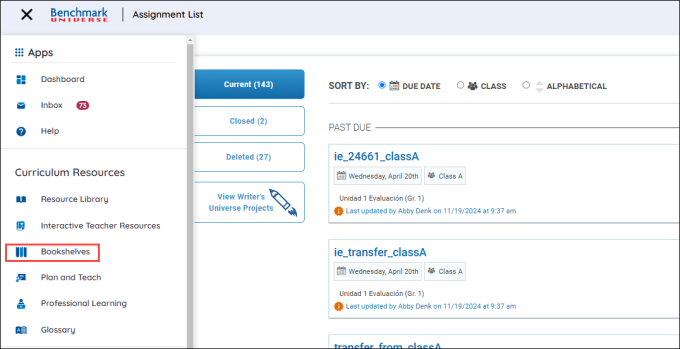
Access the Bookshelves through the Bookshelves button in the Menu.
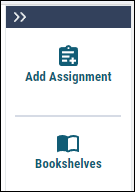
You can also access the bookshelves by using the Bookshelves button under Add Assignment button in the Resource Library.
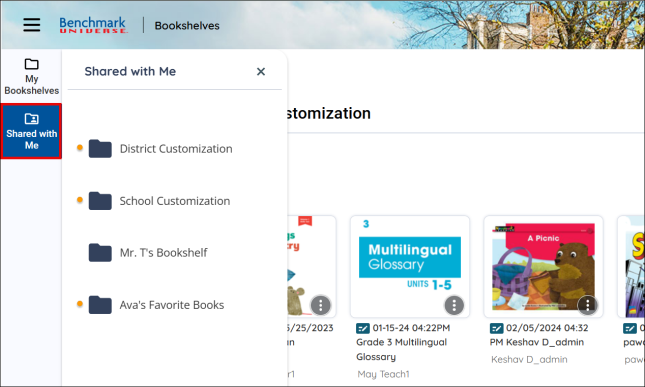
After accessing Bookshelves, use the Shared with Me button to go to the Shared with Me page and view bookshelves that have been shared with you.

|
Orange indicator icons next to shared bookshelves indicate that they have recently been shared with the user. |
Share your Bookshelves
You can share a bookshelf on the Bookshelves page by following the steps below:
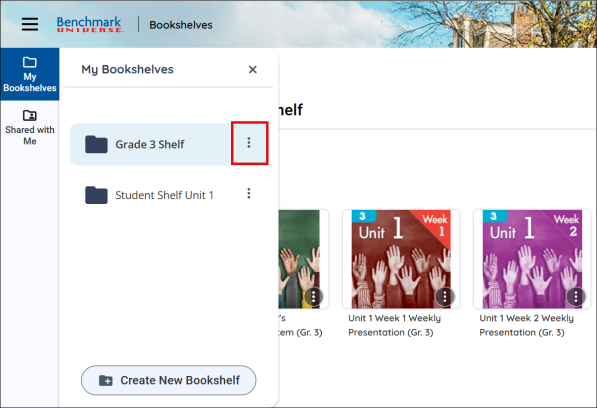
- Use the My Bookshelves button.
-
Select a bookshelf and use the More Options button.
-
A panel appears under the bookshelf.
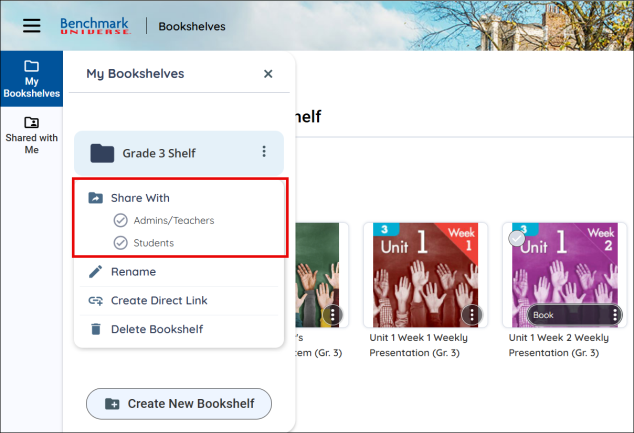
- Select either Admins/Teachers or Students in the submenu.
- Depending on your selection, a modal appears.
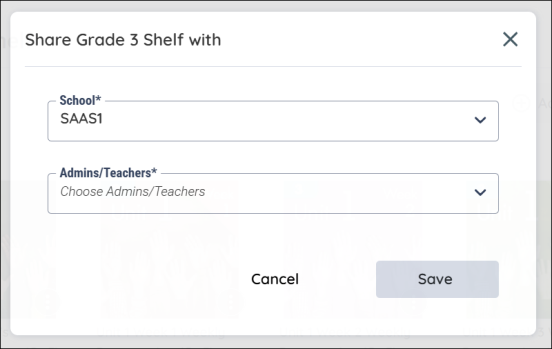
For teachers and administrators.
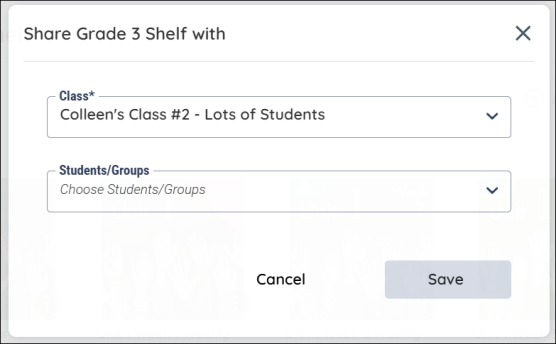
For students.
Students can also share their bookshelves with a teacher. See the student page for more details.
-
Use the Save button to share the selected bookshelf.
|
|
Only students associated with the class selected in the dropdown will appear in the Students/Groups dropdown. At the same time, only users associated with the school selected in the dropdown will appear in the Admins/Teachers dropdown. |
Renaming Bookshelves
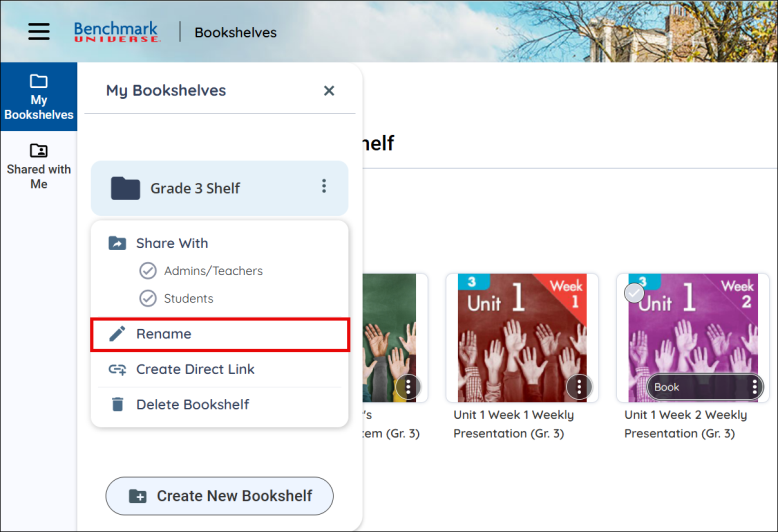
You can rename your bookshelf by using the Rename button by accessing the More Options menu.
When a teacher/administrator or student renames a shared bookshelf, the new name will be updated for everyone who has access to that shared bookshelf.
Create a Direct Link
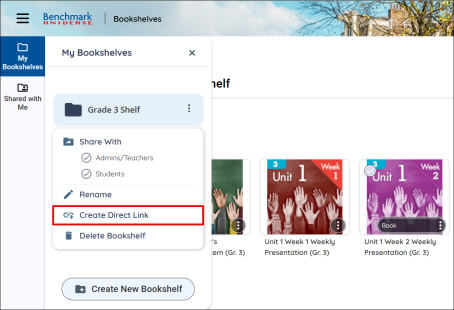
You can create a direct link to your bookshelf by using the Create a Direct Link button in the More Options menu.
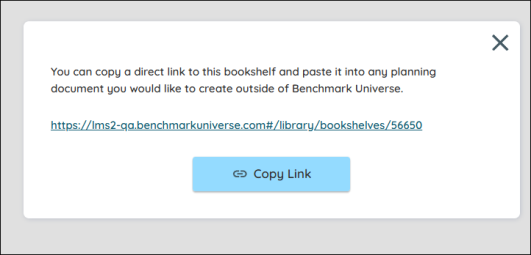
A link will display for you to copy in a modal. Paste this link into any assignment or document you would like to create outside of Benchmark Universe.
These links will not expire after you end your session. If you are not signed into Benchmark Universe when accessing the link, you will be prompted to before the resource displays.
Delete a Bookshelf
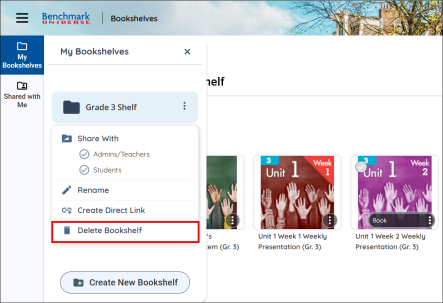
You can delete a bookshelf by using the Delete a Bookshelf button in the More Options menu. If a teacher/administrator or student deletes a bookshelf they have shared, it will be removed for everyone who has access to that shared bookshelf.
Last Updated: February 05, 2025